


Archer AC1300 Mini Wireless MU-MIMO USB Adapter | Archer T3U
Archer AC1300 Mini Wireless MU-MIMO USB Adapter | Archer T3U
Couldn't load pickup availability


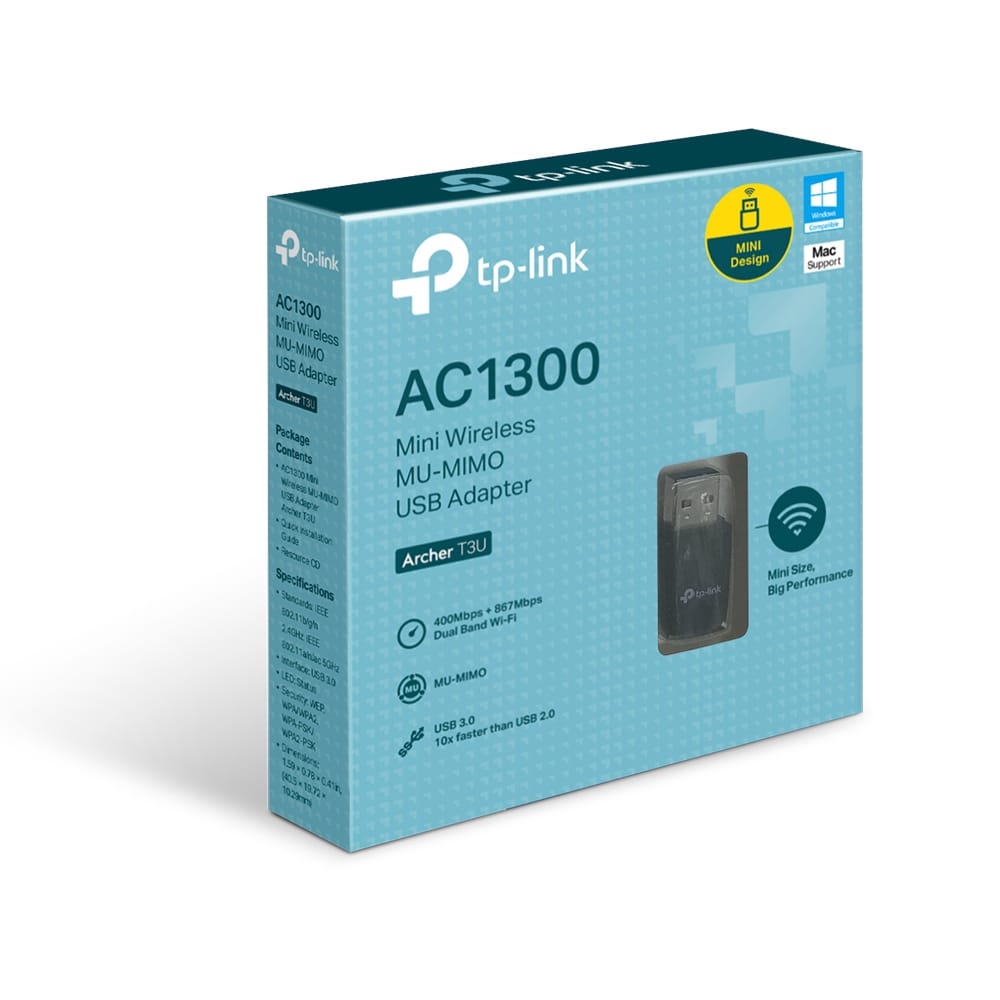
Archer AC1300 Mini Wireless MU-MIMO USB Adapter | Archer T3U
AC1300 Mini Wireless MU-MIMO USB Adapter
Description:
◆ Ultimate WiFi Speed – AC1300 (400 Mpbs on 2.4GHz band and 867 Mbps on 5GHz band) wireless speed with the next generation Wi-Fi - 802.11ac*
◆ Dual Band Wireless – 2.4GHz and 5GHz band for flexible connectivity
◆ Mini design –Mini-sized design for convenient portability with a reliable high performance
◆ Super Speed USB 3.0 Port ◆ Up to 10x faster transfer speeds than USB 2.0***
◆ MU-MIMO ◆ Delivers highly efficient wireless connection**
◆ Supported Operating System – Supports Windows 11/10/8.1/8/7/XP, Mac OS X****
High-Speed Dual Band Adapter for Better Connections
Wireless AC technology means Archer T3U delivers connections that are up to 3x faster than with the previous Wireless N standard. High-speed Wi-Fi (up to 867Mbps over the 5GHz band and 400Mbps over the 2.4GHz band) means Archer T3U is able to support all your online activities, from HD video streaming to lag-free online gaming and web surfing.
Miniature Design - Makes It Easy to Take
Archer T3U has a smart design that is tinier than a usual USB adapter. Not only could it be inserted into any USB port, but is quite easy to carry, which is convenient for most usage scenarios.
USB 3.0 for Superior Transfer Speeds
Experience blazing-fast data transfers of up to 4.8Gbps with USB 3.0 — the latest USB connectivity standard. USB 3.0 transfers data up to 10x faster than USB 2.0 and is also backwards compatible with USB 2.0. Combined with 802.11ac Wi-Fi, USB 3.0 makes Archer T3U ideal for HD streaming, online gaming and large file downloads.
Boosted Throughput with MU-MIMO
With MU-MIMO technology, Archer T3U can provide two simultaneous data streams, improving the throughput and efficiency of the entire network when working with a compatible MU-MIMO router.

TP-Link Archer T3U
AC1300 Mini Wireless MU-MIMO USB Adapter
━━━━━━━━━━━━━━━━━━
Hardware Features
Interface: USB 3.0
Dimensions: 40.5 × 19.72 × 10.29 mm (1.59 × 0.78 × 0.41 in.)
Antenna: Omni Directional
━━━━━━━━━━━━━━━━━━
Wireless Performance
Wireless Standards: IEEE 802.11ac / a / n / g / b
Frequency: Dual Band 2.4GHz & 5GHz
Speed
5GHz:
802.11ac: Up to 867Mbps
802.11n: Up to 300Mbps
802.11a: Up to 54Mbps
2.4GHz:
802.11n: Up to 400Mbps
802.11g: Up to 54Mbps
802.11b: Up to 11Mbps
Transmission Power: <23dBm (EIRP)
Reception Sensitivity
5GHz:
11a 6Mbps: -91dBm
11a 54Mbps: -76dBm
11n HT20: -71dBm
11n HT40: -70dBm
11ac HT20: -68dBm
11ac HT40: -64dBm
11ac HT80: -62dBm
2.4GHz:
11b 11Mbps: -86dBm
11g 54Mbps: -73dBm
11n HT20: -71dBm
11n HT40: -70dBm
━━━━━━━━━━━━━━━━━━
Wireless Modes & Security
Wireless Modes: Ad-Hoc / Infrastructure Mode
Wireless Security: 64/128-bit WEP, WPA / WPA2, WPA-PSK / WPA2-PSK
Modulation Technology: DBPSK, DQPSK, CCK, OFDM, 16-QAM, 64-QAM, 256-QAM
━━━━━━━━━━━━━━━━━━
Certifications
CE, FCC, RoHS
━━━━━━━━━━━━━━━━━━
Package Contents
Archer T3U AC1300 USB Adapter
Quick Installation Guide
Resource CD
━━━━━━━━━━━━━━━━━━
System Requirements
Windows 11 / 10 / 8.1 / 8 / 7 / XP
Mac OS 10.15 and earlier
━━━━━━━━━━━━━━━━━━
Environmental Conditions
Operating Temperature: 0°C – 40°C
Storage Temperature: -40°C – 70°C
Operating Humidity: 10% – 90% Non-Condensing
Storage Humidity: 5% – 90% Non-Condensing
◆ Maximum wireless signal rates are the physical rates derived from IEEE Standard 802.11 specifications. Actual wireless data throughput and wireless coverage are not guaranteed and will vary as a result of 1) environmental factors, including building materials, physical objects, and obstacles, 2) network conditions, including local interference, volume and density of traffic, product location, network complexity, and network overhead, and 3) AP limitations, including rated performance, location, connection quality, and AP condition.
◆ Use of MU-MIMO requires your APs to also support MU-MIMO.
◆ Numbers are based on testing conducted by the USB-IF and your computers are required to also support USB 3.0
◆ To ensure compatibility, you may need to update the adapter’s drivers after an OS update. You can find our latest drivers in the download center at tp-link.com/en/download-center.