


Mercusys MS105GS | 5-Port Gigabit Desktop Switch (Black)
Mercusys MS105GS | 5-Port Gigabit Desktop Switch (Black)
Couldn't load pickup availability


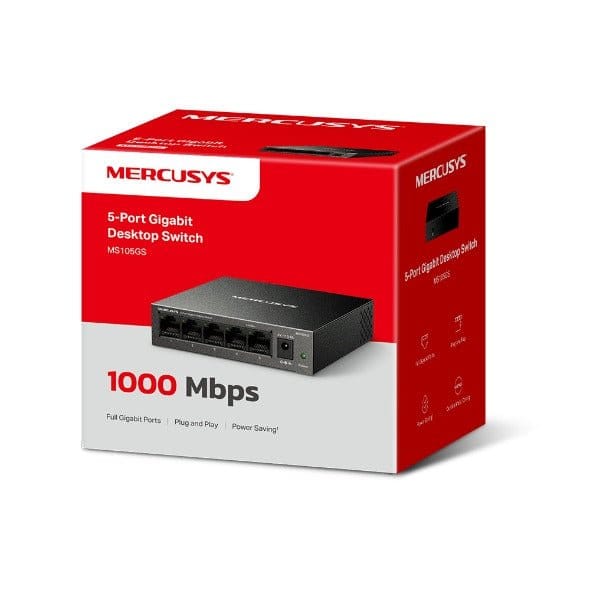
Mercusys MS105GS | 5-Port Gigabit Desktop Switch (Black)
The Mercusys MS105GS is an unmanaged 5-port Gigabit Ethernet switch in a steel housing. It adds wired ports to your router so more devices, such as a TV, computer, printer, IP camera or game console, can connect by cable at up to 1000 Mbps, with up to 10 Gbps of switching capacity. It works out of the box with no setup.

Five Gigabit ports: All five RJ45 ports run at 10/100/1000 Mbps with auto-negotiation, so each device connects at the fastest speed it supports. Auto-MDI/MDIX means any standard Ethernet cable works, without needing a crossover cable.

Plug and play: Connect one port to your router and the other devices to the remaining ports, and the wired network is extended right away. There is nothing to configure, which keeps installation simple at home or in a small office.

Steel housing, silent and fanless: The metal case helps dissipate heat, and the switch has no fan, so it runs silently on a desk or in a living room.
Desktop or wall mounting: You can place the switch on a desk or mount it on a wall to keep cables tidy.

Reliable switching: The switch uses store-and-forward transmission with 802.3x flow control, and Mercusys rates it for up to 10 Gbps of switching capacity.


Works with
Mercusys lists 4K Ultra HD TVs, computers, printers, IP cameras and game consoles, for home, small office and dormitory networks.
Good to know
This is an unmanaged, plug-and-play switch, so it has no settings to configure. It is powered by the included external power adapter.
Technical Specifications
| Model | MS105GS |
| Ports | 5 × 10/100/1000 Mbps RJ45, auto-negotiation, Auto-MDI/MDIX |
| Switching Capacity | 10 Gbps |
| Transfer Method | Store and forward |
| Flow Control | IEEE 802.3x |
| Management | Unmanaged (plug and play) |
| Housing | Steel |
| Cooling | Fanless |
| Installation | Desktop or wall mount |
| Power | External power adapter (included) |
| Dimensions | 100 × 98 × 25 mm (3.92 × 3.86 × 0.99 in) |
| In the Box | MS105GS switch, power adapter, quick installation guide |
© متجر نصر – NaserTech Jordan