


Tapo Smart Wi-Fi Spotlight, Dimmable, Color | Tapo L630
Tapo Smart Wi-Fi Spotlight, Dimmable, Color | Tapo L630
Couldn't load pickup availability


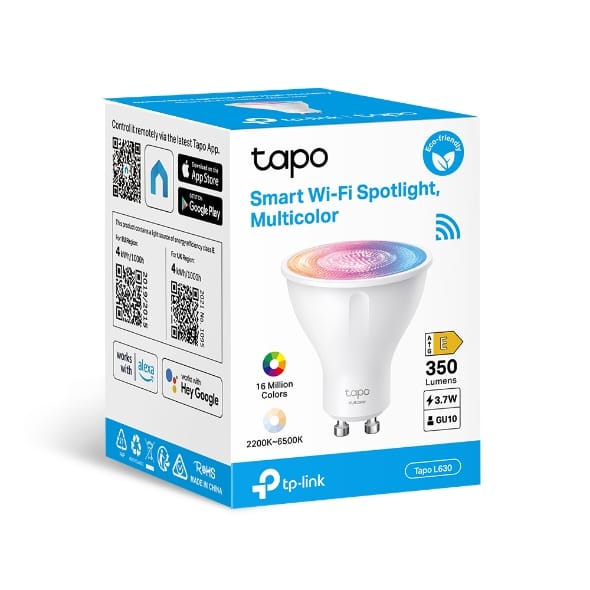
Tapo Smart Wi-Fi Spotlight, Dimmable, Color | Tapo L630
Smart Wi-Fi Spotlight, Multicolor Tapo L630
Description:
16 Million Colors ◆ Shape the amazing vibe by picking the lights from a wide array of colors, even dim to any brightness you desire for the perfect atmosphere.
White Tunable ◆ Adjust the color temperature from 2,200 K to 6,500 K based on your changing needs.
High Lumen & Dimmable ◆ Emits 350 lm light that is bright enough to shed lights on any object and could be dimmed from 1% to 100%.
GU10 Lamp Base ◆ Compatible with any GU10 fixtures well. No extra burden for your first attempt.
Grouping ◆ Control all the Tapo Smart Spotlights by just one click on App.
Energy Saving ◆ Reduce energy use by operating energy savingly, without losing brightness or quality.
Remote Control ◆ Instantly turn the spotlight on/off wherever you are via the Tapo App.
Schedule ◆ Preset a fixed schedule to manage your smart devices automatically.
Timer ◆ Create countdown timer lists for more precise time control.
Voice Control ◆ Manage your smart spotlights with voice commands via Amazon Alexa or Google Assistant.
Easy Setup and Use ◆ No hub required, set up quickly and manage easily through the free App.

Specifications
Network
◆ Wi-Fi Protocol: IEEE 802.11 b/g/n
◆ Wi-Fi Frequency: 2.4 GHz
Technical Specifications
◆ Form Factor: GU10
◆ Lamp Base: GU10 Fitting
◆ Brightness: 350 Lumens (50W Equivalent)
◆ Wattage: 3.7 W
◆ Voltage: 220–240 V, 50/60 Hz
◆ Dimmable: Yes (via App and Voice Only)
◆ Light Beam Angle: 40°
◆ Colour Temperature: 2,200–6,500 K (Tunable White)
◆ Colour Rendering Index (CRI): ≥ 80
◆ SDCM: < 6
◆ Switching Cycles: 15,000
◆ Lifetime: 15,000 Hours
◆ Weighted Energy Consumption: 4 kWh / 1,000 h
◆ Energy Class: E
◆ Warm-up Time to 95% Brightness: ≤ 1 s
◆ Standby Power: 0.2 W
General
◆ Operating Temperature: 0°C to 40°C
◆ Operating Humidity: 10%–90% RH (Non-Condensing)
◆ Product Dimensions: D50 × 55.2 mm
◆ Weight: 55 g (including package)
◆ Certifications: CE, ERP, RoHS, RCM
Package Contents
◆ Tapo Smart Spotlight
◆ Quick Start Guide