


TP-Link AC1200 Whole-Home Mesh Wi-Fi Unit, (3-pack) | Deco M4(3-pack)
TP-Link AC1200 Whole-Home Mesh Wi-Fi Unit, (3-pack) | Deco M4(3-pack)
Couldn't load pickup availability


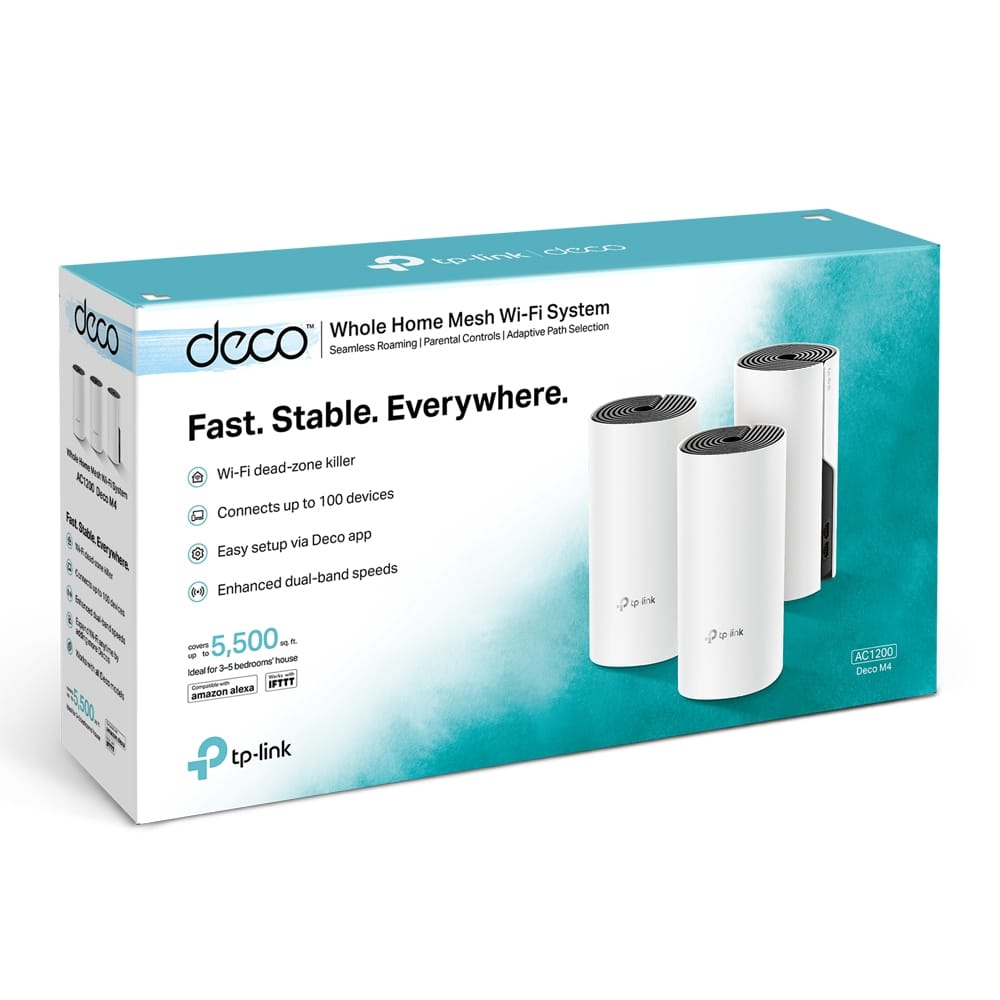
TP-Link AC1200 Whole-Home Mesh Wi-Fi Unit, (3-pack) | Deco M4(3-pack)
The TP-Link Deco M4 3-pack is a dual-band AC1200 Wi-Fi 5 mesh system: three Deco units work together as one network with a single Wi-Fi name and password. TP-Link rates the 3-pack for 3-5 bedroom houses and connections for up to 100 devices, and every unit has two Gigabit Ethernet ports.

AC1200 dual-band Wi-Fi: Each unit offers up to 867 Mbps on 5 GHz (802.11ac) and 300 Mbps on 2.4 GHz (802.11n), with beamforming and MU-MIMO. In practice the 5 GHz band suits streaming and gaming close to a unit, while 2.4 GHz reaches further for basic tasks.
One seamless mesh network: The three units form one unified network with one name. As you move around the house, your phone or laptop switches between Deco units automatically, so you do not need to reconnect to a different network in each room.
2 Gigabit ports on each unit: Every Deco M4 has two auto-sensing Gigabit WAN/LAN ports. Connect the main unit to your modem and plug a TV, PC or console into any unit; the units can also be linked with Ethernet cables (optional Ethernet backhaul) for a more stable connection between them.

Parental controls and guest network: The Deco app lets you create profiles for family members, filter websites and set time limits. A separate guest network on 2.4 GHz and 5 GHz gives visitors internet access without access to your home devices.
Router or access point mode: The Deco M4 works as the main router by default, or as an access point if you want to keep your existing router. Setup and management are done from the Deco app.
Good to know
The Deco M4 is a Wi-Fi 5 (802.11ac) system, not Wi-Fi 6. MU-MIMO benefits need MU-MIMO capable devices. The speeds are the maximum wireless link rates stated by TP-Link; real speed depends on your internet plan, the devices and the building. Setup needs the Deco app on Android 5.0 or later or iOS 9.0 or later.
What's in the Box
3 × Deco M4 units, 1 × RJ45 Ethernet cable, 3 × power adapters, 1 × quick installation guide.
Technical Specifications
| Model | Deco M4 (3-pack) |
| Wi-Fi Standard | Wi-Fi 5: IEEE 802.11ac/n/a (5 GHz), IEEE 802.11n/b/g (2.4 GHz) |
| Wi-Fi Speed | AC1200: 867 Mbps (5 GHz) + 300 Mbps (2.4 GHz) |
| Bands | Dual-band |
| Antennas | 2 internal antennas per unit, beamforming |
| MU-MIMO | Yes |
| Ethernet Ports | 2 × Gigabit WAN/LAN auto-sensing per unit |
| Ethernet Backhaul | Optional |
| Coverage (3-pack) | 3-5 bedroom houses |
| Connected Devices | Up to 100 |
| Modes | Router, Access Point |
| Wi-Fi Encryption | WPA-Personal, WPA2-Personal |
| Network Security | SPI firewall, access control |
| Guest Network | 1 × 5 GHz, 1 × 2.4 GHz |
| Parental Controls | URL filtering, time controls |
| Quality of Service | QoS by device |
| Protocols | IPv4, IPv6 |
| WAN Types | Dynamic IP, Static IP, PPPoE, PPTP, L2TP |
| Management | Deco app (Android 5.0+ / iOS 9.0+) |
| Buttons | Reset |
| Dimensions (per unit) | 90.7 × 90.7 × 190 mm |
| Operating Temperature | 0 to 40°C |
© متجر نصر – NaserTech Jordan