


Tp-Link RE225BE | BE3600 Dual-Band Wi-Fi 7 Range Extender
Tp-Link RE225BE | BE3600 Dual-Band Wi-Fi 7 Range Extender
Couldn't load pickup availability


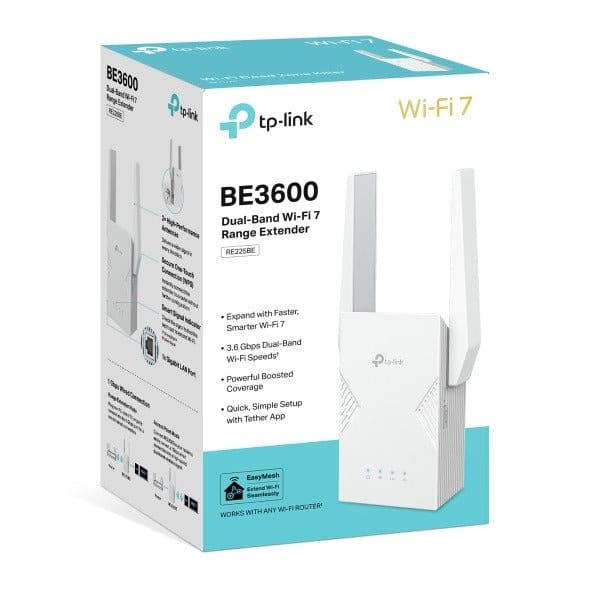
Tp-Link RE225BE | BE3600 Dual-Band Wi-Fi 7 Range Extender
The TP-Link RE225BE is a dual-band Wi-Fi 7 range extender that picks up the signal of your existing router and repeats it to rooms where Wi-Fi is weak. It is rated BE3600: 688 Mbps on 2.4 GHz plus about 2.88 Gbps on 5 GHz, and it adds a 1 Gbps Ethernet port for a wired device.

Wi-Fi 7 dual-band speed: The extender works on both 2.4 GHz and 5 GHz with Wi-Fi 7 (802.11be), for a combined BE3600 class. The 5 GHz band carries the fast traffic such as streaming, while 2.4 GHz reaches further through walls.

Multi-Link Operation (MLO) and 4K-QAM: MLO lets Wi-Fi 7 devices use more than one band at the same time, which TP-Link states improves throughput, lowers latency and makes the link more reliable. 4K-QAM packs more data into each transmission; both features need a Wi-Fi 7 client to take effect.

1 Gbps Ethernet port: Plug a PC, smart TV or game console into the Gigabit port to give it a wired connection from the extended network. In Access Point mode the same port works the other way: connect it to your router by cable and the RE225BE broadcasts a new dual-band Wi-Fi network.
EasyMesh-compatible: Paired with an EasyMesh-compatible router, the RE225BE joins one mesh network with a single Wi-Fi name, so phones and laptops move between the router and the extender without reconnecting.

Two external antennas: Two external antennas help the extender receive the router signal and spread it into the dead zone.

Simple setup: Set it up with the WPS button on the extender and router, or through the TP-Link Tether app. LED control, access control and a power schedule are available in the settings.
Who it's for / Works with
Any Wi-Fi router, including older Wi-Fi generations (TP-Link states broad compatibility with Wi-Fi routers and devices). Mesh roaming with one Wi-Fi name needs an EasyMesh-compatible router.
Good to know
- Wi-Fi 7 features (MLO, 4K-QAM, 160 MHz) only work with Wi-Fi 7 client devices; older devices connect at their own standard.
- The listed speeds are maximum physical link rates from the IEEE standard; real speed depends on your internet plan, the router and the distance.
- Two working modes only: Range Extender and Access Point.
Technical Specifications
| Model | RE225BE |
| Wi-Fi Standard | Wi-Fi 7 — IEEE 802.11be/ax/ac/n/a 5 GHz, IEEE 802.11be/ax/n/b/g 2.4 GHz |
| Wi-Fi Class | BE3600 dual-band |
| Signal Rate | 688 Mbps at 2.4 GHz, about 2.88 Gbps at 5 GHz |
| Advanced Features | Multi-Link Operation (MLO), 4K-QAM, 160 MHz channel |
| Ethernet Port | 1 × Gigabit (1 Gbps) Ethernet port |
| Antennas | 2 external antennas |
| Buttons | WPS button, Reset button |
| Working Modes | Range Extender, Access Point |
| Mesh | EasyMesh-compatible |
| Wireless Security | WPA/WPA2-PSK, WPA2/WPA3 |
| Management | Tether app, web interface |
| Operating Temperature | 0 °C to 40 °C |
📄 Datasheet: Download the official TP-Link RE225BE datasheet (PDF)
© متجر نصر – NaserTech Jordan