


TP-Link OC200 Omada Hardware Controller with Cloud Management and PoE Support
TP-Link OC200 Omada Hardware Controller with Cloud Management and PoE Support
سعر عادي
110.000 JOD
سعر عادي
سعر البيع
110.000 JOD
رسوم الدفع محسوبة مقابل.
كمية
تعذر تحميل توفر الاستلام
✓ أصلي 100% بكرتونة المصنع
✓ كفالة رسمية من المورد
✓ دفع عند الاستلام (كاش أو كليك)
✓ توصيل سريع لكافة المحافظات بـ3 دنانير (مجاني لـ3+ منتجات)
✓ استشارة ودعم هندسي مجاناً


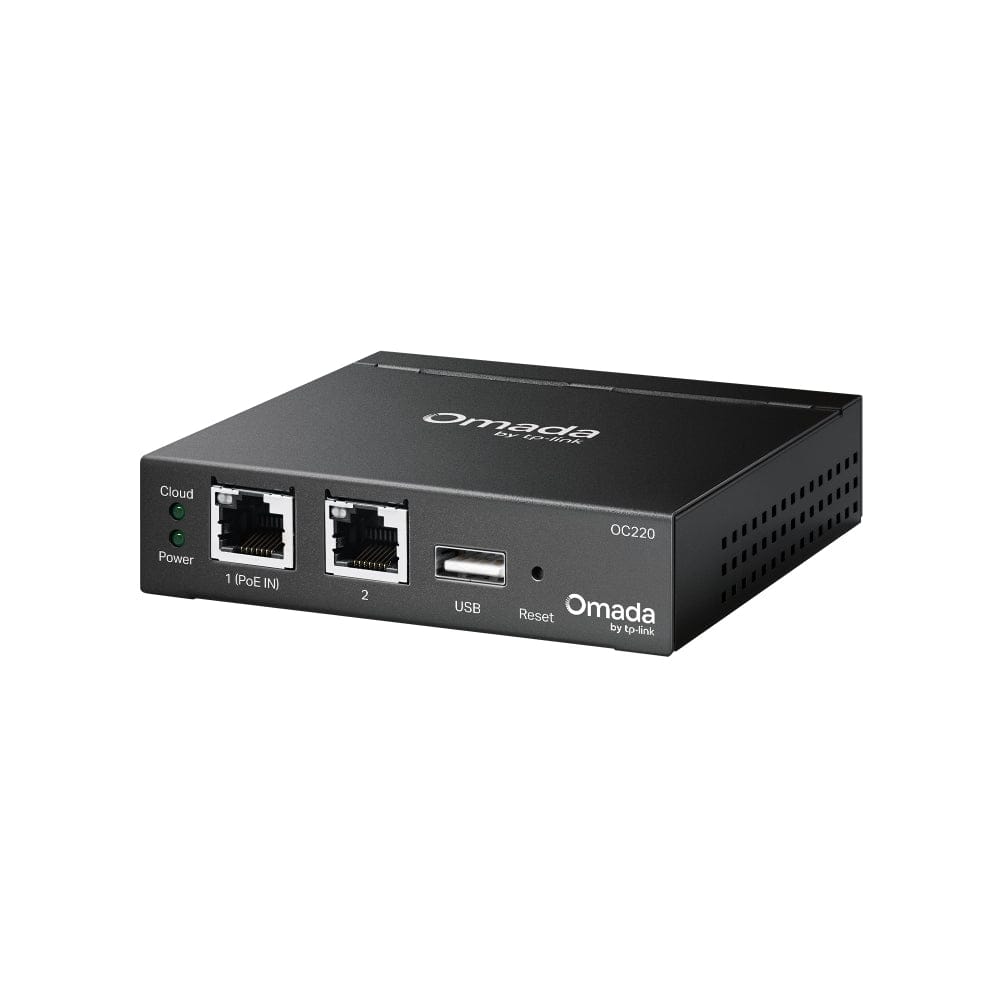
Product Title
TP-Link OC200 Omada Hardware Controller – Cloud Management & PoE
Short Description
TP-Link OC200 Omada Hardware Controller provides centralized management of your Omada network from a single, easy-to-use platform. Designed for business and professional networks, it enables centralized configuration, monitoring, and remote cloud management of compatible Omada access points, switches, and routers.
Key Features
- Centralized Omada Management – Manage your Omada network from one controller.
- Cloud Management – Monitor and manage your network remotely through the Omada Cloud.
- Supports Omada SDN – Compatible with Omada access points, switches, routers, and other supported devices.
- 24/7 Dedicated Controller – Keeps network management independent from a PC or server.
- PoE Support – Can be powered via PoE for a cleaner and easier installation.
- Remote Monitoring – View network status, connected clients, and device information remotely.
- Easy Deployment – Compact design suitable for wall, desk, or network cabinet installations.
- Professional Network Management – Ideal for businesses, offices, hotels, schools, restaurants, and other multi-device environments.
Technical Specifications
| Specification | Details |
|---|---|
| Model | TP-Link OC200 |
| Product Type | Omada Hardware Controller |
| Management Platform | TP-Link Omada SDN |
| Cloud Management | Yes |
| PoE Support | Yes |
| Network Port | Gigabit Ethernet |
| Management | Local & Cloud |
| Compatible Devices | Omada Access Points, Switches, Routers & supported devices |
| Deployment | Desktop / Wall Mount |
| Use Case | Business & Professional Networks |
What's in the Box
- TP-Link OC200 Omada Hardware Controller
- Power Adapter
- Mounting Accessories
- Quick Installation Guide